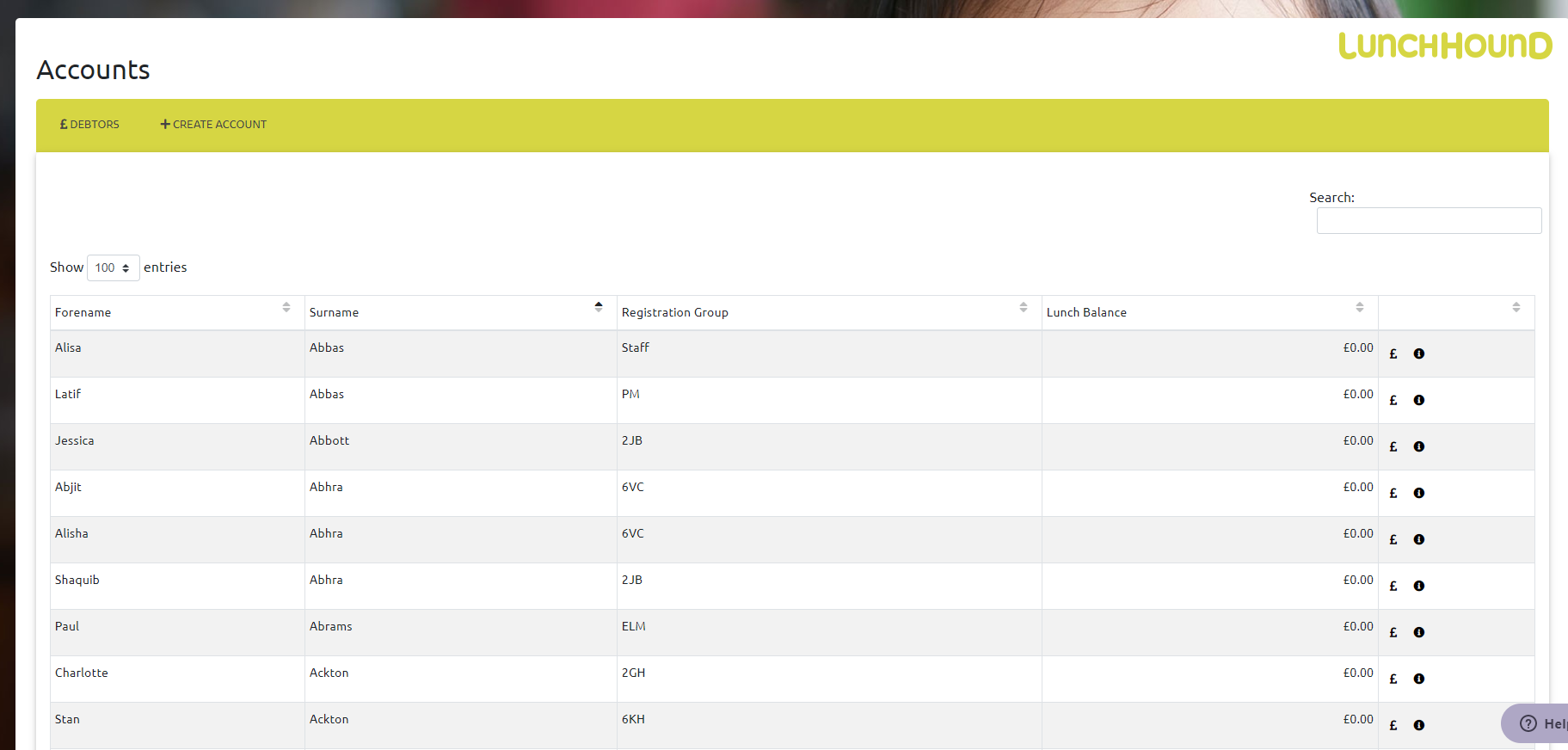
To view your accounts, select 'Accounts' then 'View' from the menu.
The table displays all staff, and students currently on roll.
- You can use the arrows at the top of each column to sort by that column.
- You can search for a specific person using the search box, top right
- To view more details about a person, click the (i) icon in the rightmost column. This will show you details such as allergies and FSM eligibility
- To view recent payments and transactions for a person, click the (£) icon in the rightmost column.
- If your payment provider is ParentPay, you can view and match accounts on this system to ParentPay accounts if the accounts have not automatically matched for any reason.