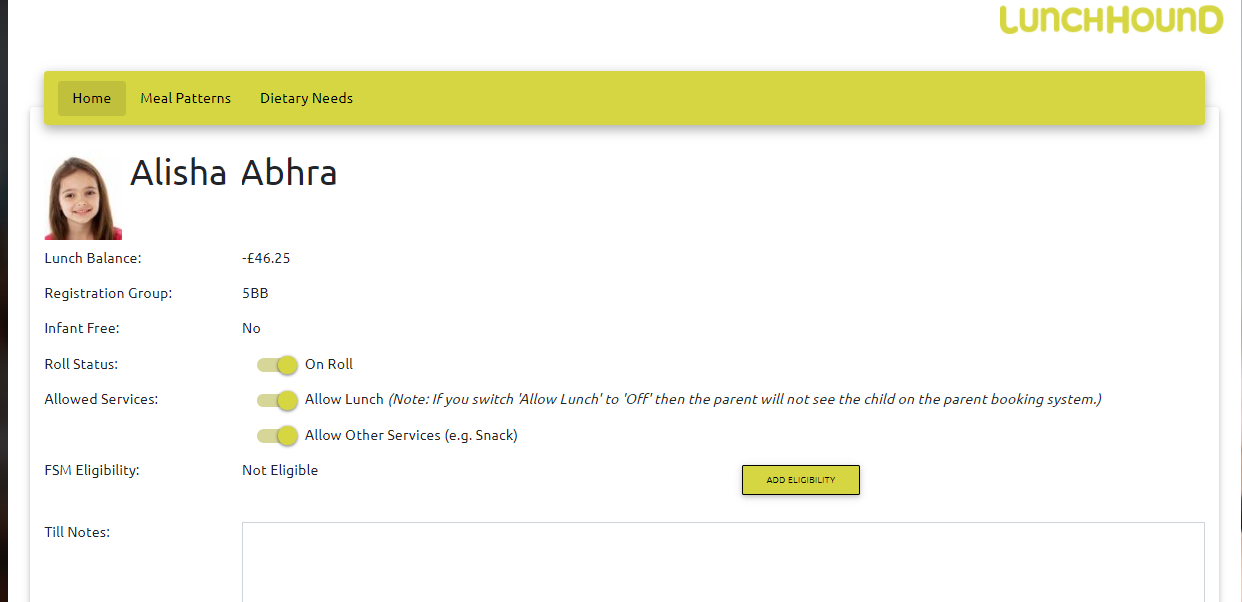
To view Account Details, click 'Accounts' then 'View' and then the information icon against the student or staff member.
From the account details screen, you can change some settings for a student or staff member's account.
Please note that your MIS Sync will override some of these settings, so FSM, dietary preference & meal pattern settings should be regarded as a temporary fix until the next time your MIS Sync runs.