You can register users once they have had an account created on the system through the Groupcall sync process.
To view, click 'Admin' then 'Users' for a list of current system users.
In the 'Unregistered Adults' section, you will find a list of adults who have been imported from your MIS but not given permission to sign in to the system.
Registration of new users is a two stage process.
Firstly, click the register button. In the window that appears, enter the person's email address and assign them a role to allow them to access the system. This does not create their account - it tells the system that when a person with that email address signs up, they should, for example, be given 'teacher' access at your school.
Secondly, ask your users to sign up and create themselves a password. You can facilitate this by clicking 'Send Welcome Email' next to the user's email address. This will generate an email to their registered address with instructions and a link to enable them to sign up.
Should you wish to create an account for a user who is not in your MIS, such as a supply teacher, click the 'Register temporary user' button at the bottom of the screen.
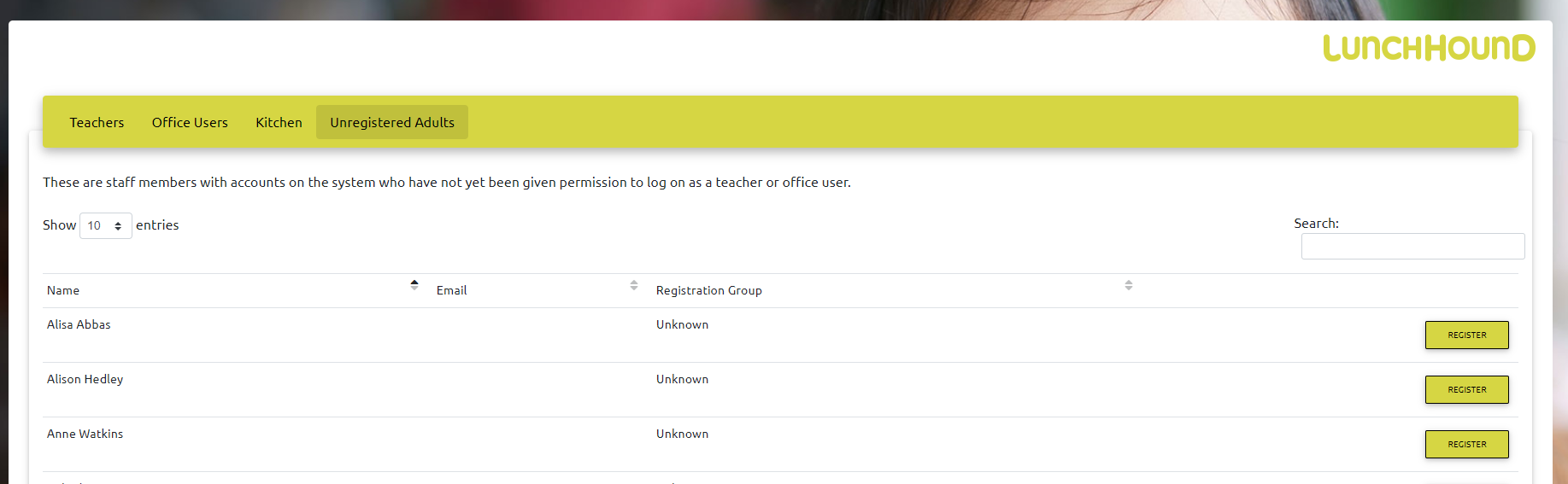
1. Unregistered Adults
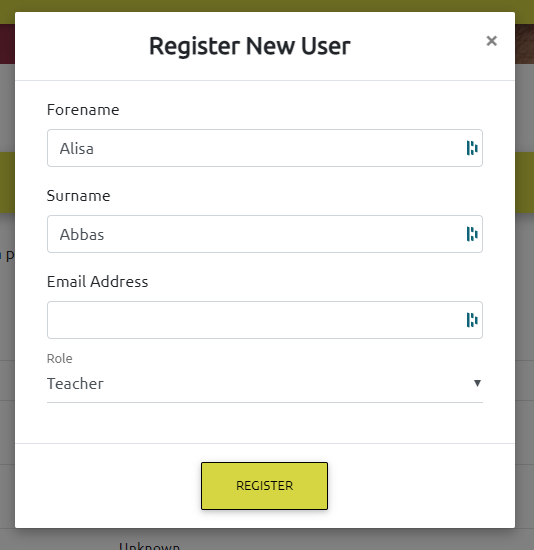
2. Adding a new user - enter email address and select the correct role.
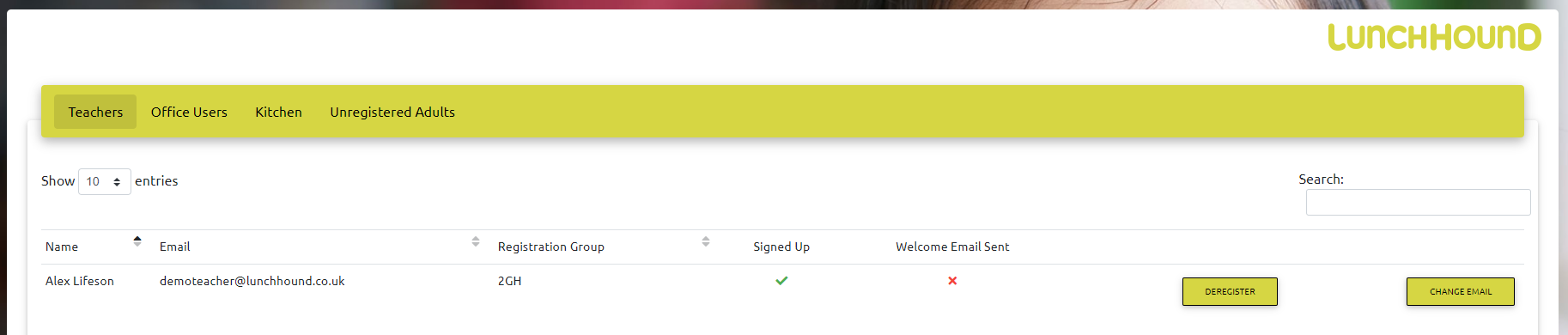
3. Previously authorised users