LunchHound uses Groupcall to keep track of changes made in your management system and so will automatically move students up a year and add new students as they are entered into your MIS. This is obviously a huge time saver as you move into a new year but it does require the system administrator to carry out a few careful and timely steps, these are outlined below.
Before the end of term:
- Inform us if your lunch prices are changing.
- Check that your Groupcall sync is running.
- Inform us of any IT changes which may affect the system (new server, change of broadband provider etc)
- Ensure that you know how to log on to Groupcall (manage.groupcall.com)
At the beginning of term:
Please note that Groupcall syncs once a day, usually overnight. Any changes you make to your management system (e.g. admitting your reception children) will not show up on LunchHound until the next day. If your rollover date is 1st September, you should expect to see children in their new classes from 2nd September.
At the beginning of September, the system will go into 'New Academic Year' mode. In this mode, orders can be made and put through on the tablet devices in the kitchen, but no transactions will be sent from the tablets to the online system. This ensures that your pricing and infant free data can be reviewed and confirmed before transactions are processed. You will need to check and confirm your data to take the system out of 'New Academic Year' mode and allow transactions to be processed.
To do this, log on to https://manage.lunchhound.co.uk
Once logged on, click 'Admin' then 'Groups'.
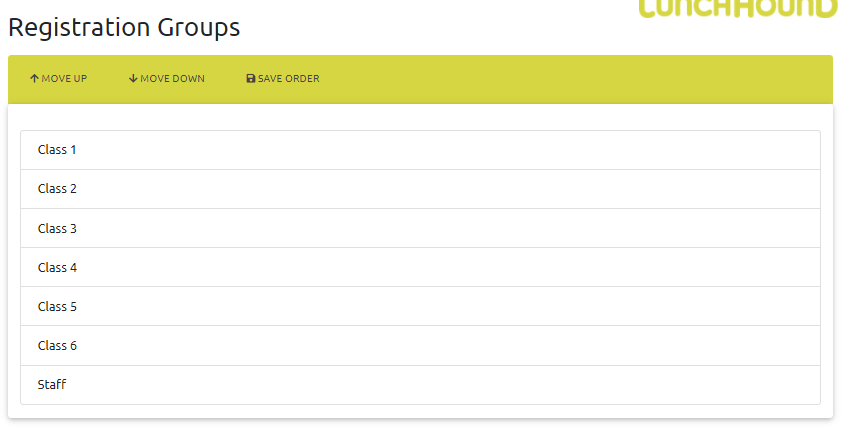
The Groups screen has 3 sections. The first section is your registration groups. Highlight each group in turn, and use the 'Move Up' and 'Move Down' buttons to put them in the correct order. Once you are happy with the order of your registration groups, click the 'Save Order' button.
Next, scroll to to the bottom of the screen where you will see a section entitled 'Year Group Order'. As before, use the Move Up and Down buttons to arrange your year groups, then click 'Save Order'
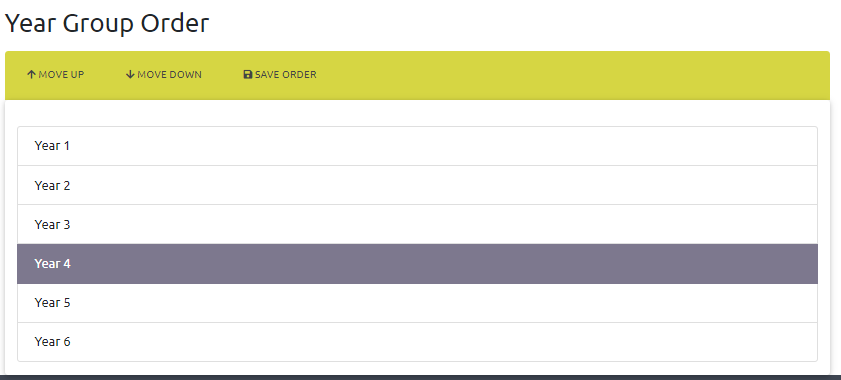
Once you have ordered your year groups, click the refresh button to reload the webpage (or select Admin / Groups from the menu, which will also reload the page). You will then see that the year groups in the second 'Year Groups' section are in order. Scroll down to this section.
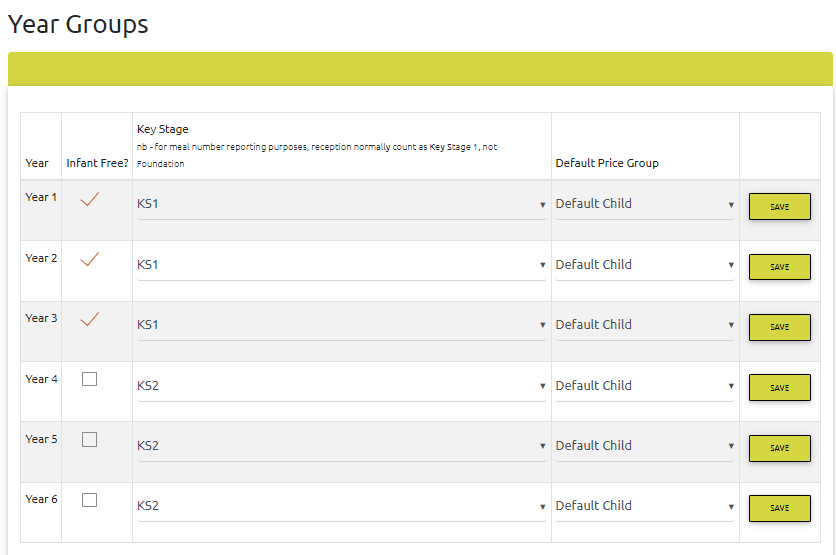
Please now carefully check the following:
- All infant classes are marked as infant free (i.e. there is a tick in the infant free checkbox)
- All KS1 year groups (including Reception, as we count them as KS1 for meal number reporting) are marked as KS1 (use the dropdown to alter this if necessary).
- All KS2 year groups are marked as KS2.
- All nursery year groups are marked as Foundation
- All year groups have the correct price group assigned. In particular, if you have different pricing for nursery, check that your nursery year groups have been assigned the nursery price group.
- If you have made any changes to a year group, click the Save button - this needs to be done for every year group you change.
Once you have completed the above tasks, click Accounts / View and check a few children to ensure they are in the right classes.
Next, click 'Reports' then 'Students' then 'Free Meal Eligibility'. Check that your children are UIFSM as expected (in particular, children in Year 3 should no longer be UIFSM).
Next, click 'Menu' then 'Pricing'. Check that your pricing for each price group is correct:
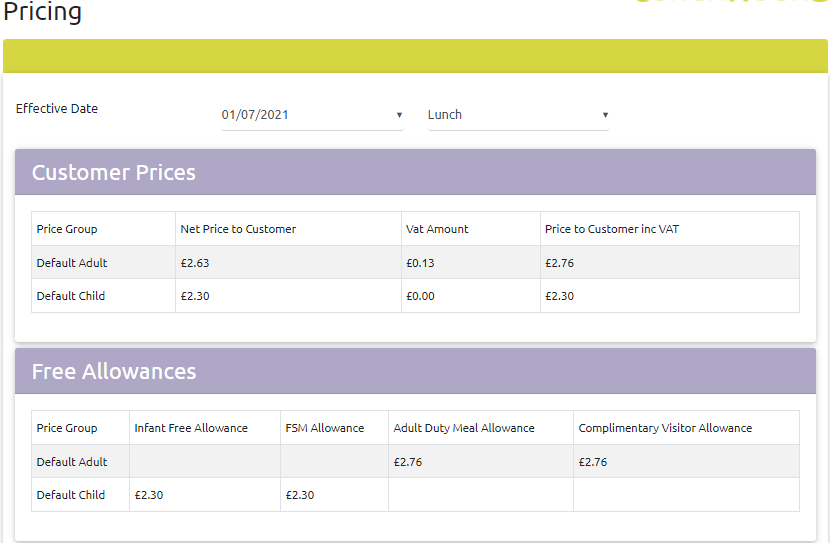
If your pricing is not correct, please contact support.
Finally, click 'Admin' then 'New Academic Year'. You will see a screen like this:
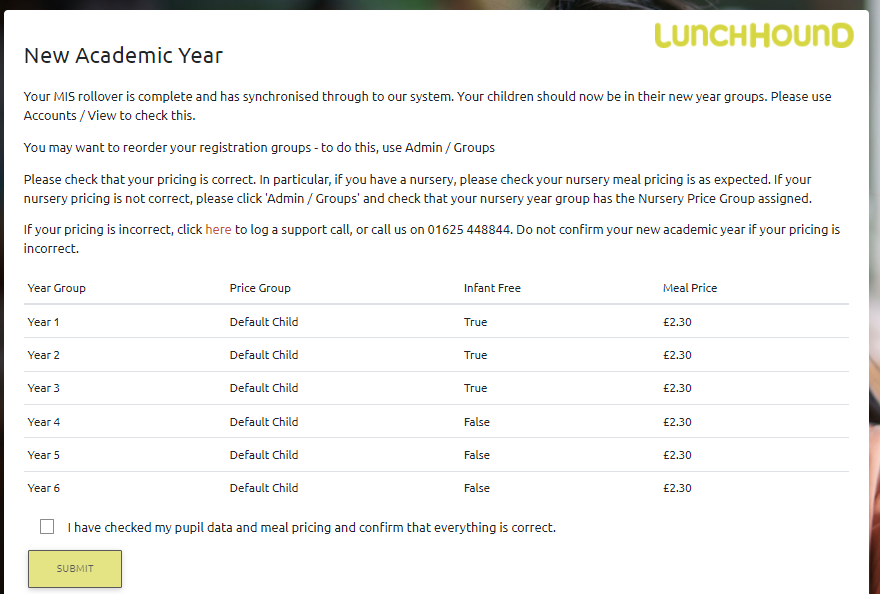
This screen provides a summary of your school's infant free and pricing. Once you are satisfied this is correct, tick the box and click submit. Your system can now send transactions. Please be aware, if your Reception class is not currently on the system you will need to check their infant free, pricing and key stage settings once they are on the system.
You may also wish to review which children have a Medical Diet - click 'Reports' 'Students' 'Dietary Needs' to view this information.