You may need to adjust the balance on an account, for example when a cheque refund has been issued, or you have agreed to refund the parent for an incorrectly charged meal but do not want to remove the transaction from the system (if it was the school's mistake, for example).
If a refund is generated via the school payment provider, do NOT do a balance adjustment on LunchHound - the balance will update automatically.
If you are unsure whether you need to do a balance adjustment, please contact IT.
To issue a refund:
Log on to the system, then select 'Accounts' and 'View' from the menu.
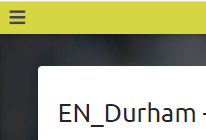
Use the 'Hamburger' menu (top left) to pick the school you want to view accounts for.
Use the search (on the right) to find the account you want to adjust the balance for.
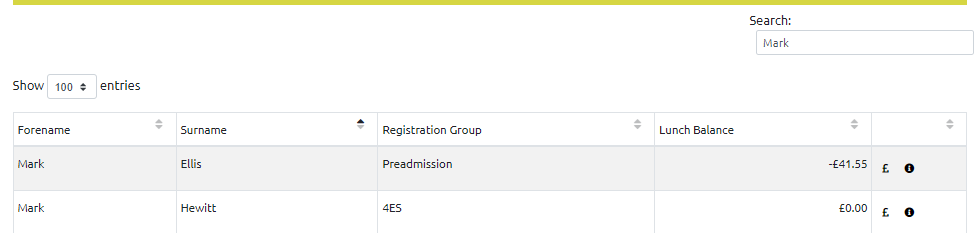
Click the '£' icon (rightmost column) to display the account statement:
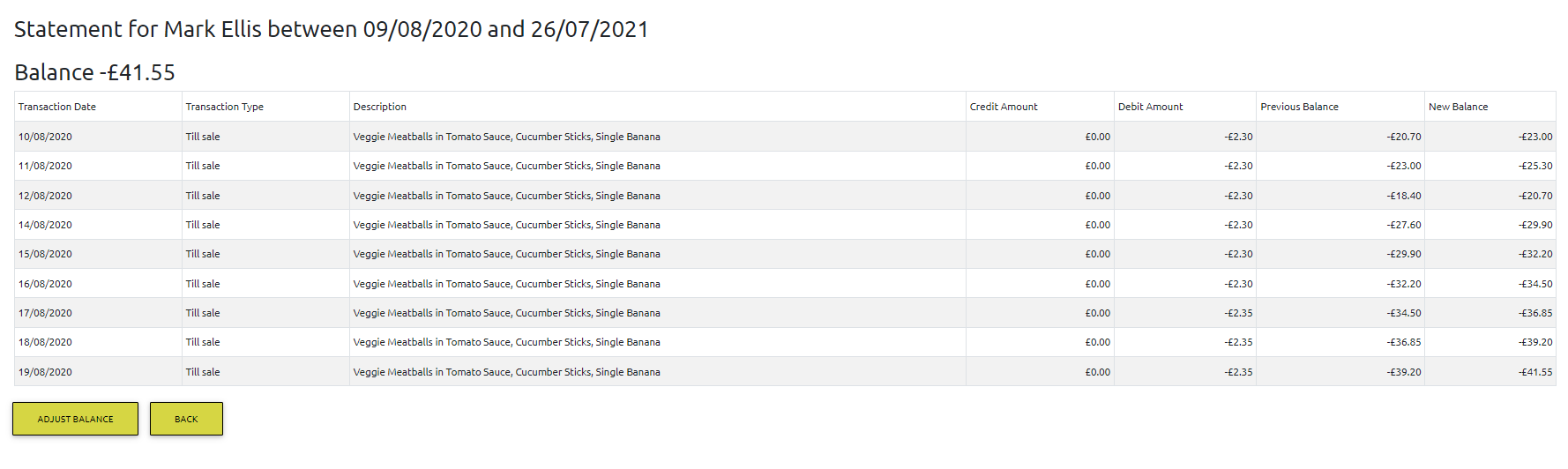
Click the 'Adjust Balance' button (underneath the statement).
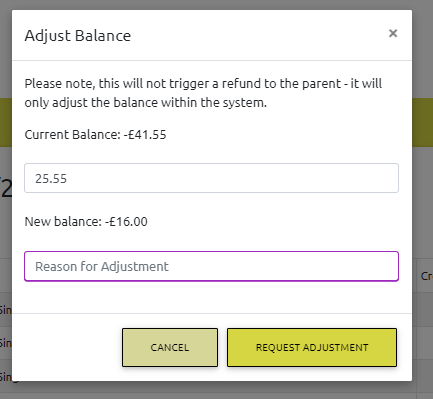
Enter the amount of the adjustment into the 'Adjustment amount' text box. A positive adjustment will increase the account balance, a negative adjustment will decrease the account balance.
Enter the reason for the adjustment. You will see that the system calculates and displays the new balance. Please check this is as you expect, then click 'Request Adjustment'. The refund will be processed and applied to the account.