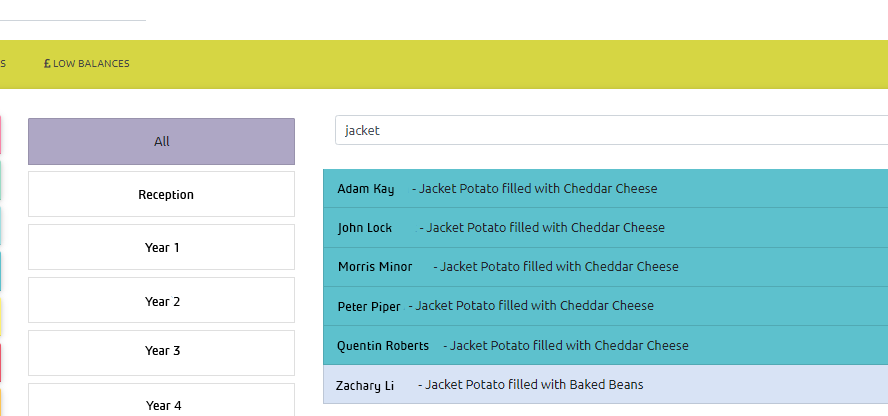
If a choice is removed from your school menu and you have parent pre-ordering, you may have orders on the system which are no longer valid. When parents log on they will be prompted to re-order from the updated menu. You can also find and amend these orders from the office system. To do this:
Log on to https://manage.lunchhound.co.uk
Open the pre-order screen by clicking 'Accounts' then 'Pre-orders'
Use the date picker to change the date. Choose a date you know the menu has changed for.
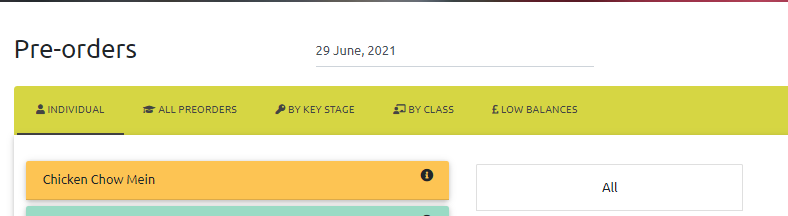
Next, click 'All' to show all children and staff on the system.
In the Search box at the top of the list of pupils and staff, enter part or all of the name of the item removed from the menu e.g. typing 'jacket' will show all children who have ordered a jacket potato. The list will update to show only those who have booked that item. You can then update their pre-order as usual from the choices displayed on the left hand side